

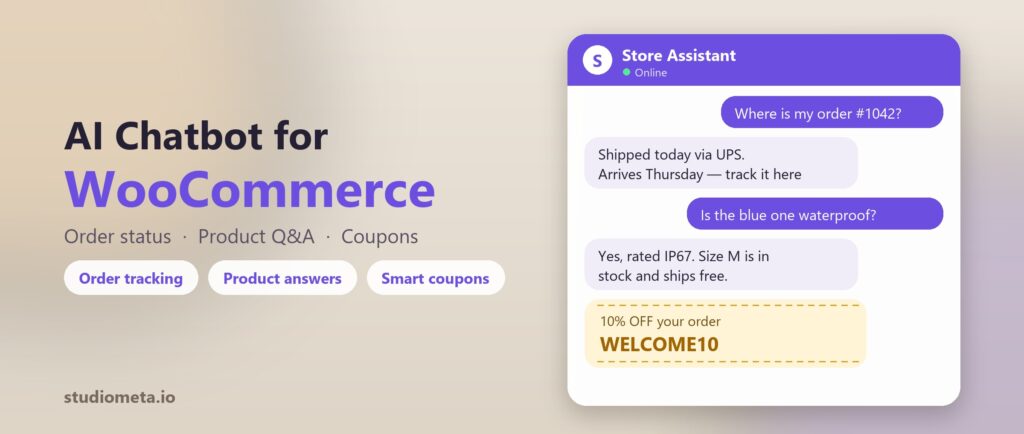
“Where’s my order?” and “Do you have this in stock?” are the two questions that eat the most support time on a WooCommerce store — and the two questions a generic chatbot is worst at, because the honest answer lives in your store’s database, not in a script someone wrote once.
A chatbot that can only quote your FAQ page tells a shopper to “check your account for order status.” A chatbot wired into WooCommerce itself just tells them: shipped Tuesday, arriving Thursday, tracking number attached.
What an AI assistant needs real WooCommerce access to do
- Look up a real order — status, items, and tracking — instead of guessing or deflecting to “check your email.”
- Answer from your actual product catalog — stock, variations, price — not a stale copy pasted into a prompt months ago.
- Offer a coupon you’ve approved, only when it genuinely helps a shopper decide, never invented on the spot.
- Hand off to a human the moment a question needs a person — refunds, disputes, anything outside what it should decide alone.
How StudioMeta’s WooCommerce Assistant works
StudioMeta already runs as an AI voice and chat agent on WordPress; on a WooCommerce store, enabling the WooCommerce Assistant gives it three extra tools that plug straight into your store’s own data:
- Order status lookup — a shopper asks about their order and the agent pulls the real status and tracking, matched to the visitor so one shopper can never see another’s order.
- Product search — questions about stock, price, or variations are answered from your live catalog, not a description written once and left to go stale.
- Approved coupons — you choose which coupons the agent is allowed to mention; it never invents a discount, and a coupon can be applied automatically from the agent’s own buy link.
Turn it on from Voice AI → WooCommerce Assistant in your WordPress admin — no separate account, no API key to paste in, no code. It sits on top of the same voice and chat widget already answering questions from your site content, so a shopper never has to know they switched from “general questions” to “order questions.”
Why this matters more for a store than a brochure site
A missed pre-purchase question on a WooCommerce store has an exact dollar value attached — the cart is already built, the shopper is already deciding, and one unanswered question is often the only thing between “add to cart” and “buy now.” Order-status questions are the single biggest driver of repeat support tickets after a sale, and they’re also the easiest to fully automate correctly, because the answer is a database lookup, not a judgment call.
See the plans and pricing, or read the full case for an AI receptionist on an ecommerce store if you’re still weighing whether it’s worth turning on.